Create Weekly Newsletter
- From the WordPress Dashboard select Mailpoet/Emails
- Find the previous two newsletters and duplicate both. One will be a test usually sent at 10:00 am to verify the appropriate articles are included, the other is the actual newsletter usually sent at noon.

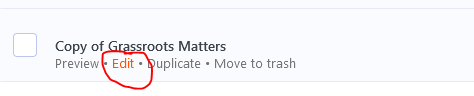
- The two duplicated emails will be displayed as Copy of Grassroots Matters.

- Hover over the test Copy of Grassroots Matters and select “Edit”
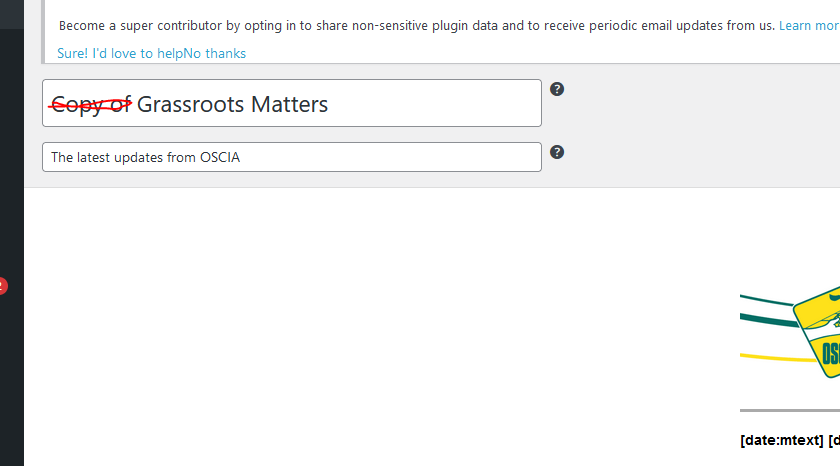
- Edit the newsletter title to “Grassroots Matters”
- Select next in the top right corner.
- Select Schedule and enter the date and time you would like the newsletter to be sent.
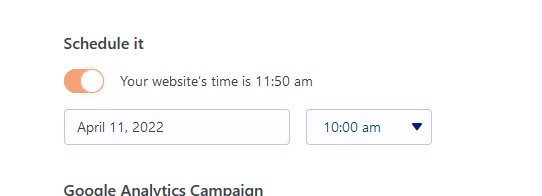
- Select “Schedule” in the bottom right to save your changes and schedule the newsletter.
Newsletter Categories
Articles for Grassroots Matters are usually created using the “Content Uploader”. The content uploader automatically assigns the required categories for an article to be picked up by Mailpoet. These categories are article, news_views, and the Current_NV. The current_NV is in the format of “NV”+year+week. The first week of 2022 would be “NV202201”.
An article could be created directly in WordPress by creating a post and assigning the appropriate categories manually.
An article can be included in multiple editions of Grassroots Matters by assigning multiple current_NVs. For example, an article with the following categories ( article, news_views,NV202201,NV202205 ) would be included in the first and fifth editions of Grassroots Matters 2022.
Code
mailpoet_custom_news_views_list() = shortcode to get the content of the current newsletter.
get_currentNV() = calculate the current NV value